
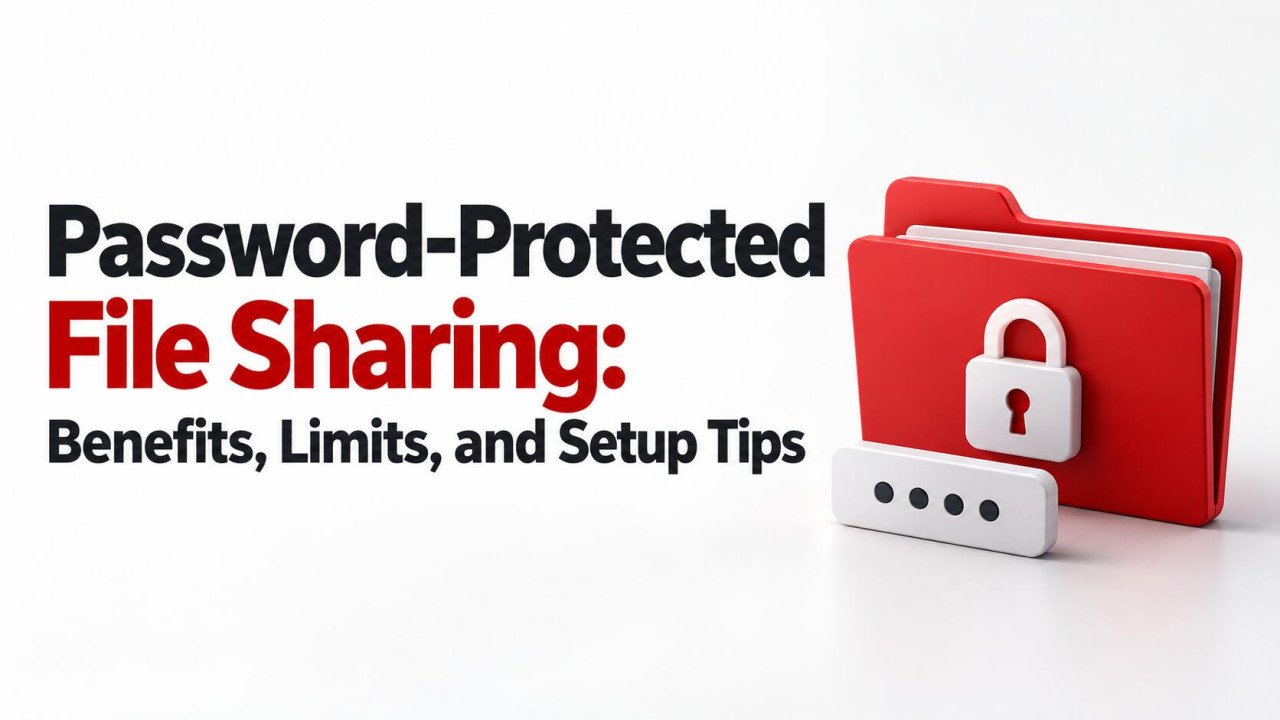
Password-Protected File Sharing: Benefits, Limits, and Setup Tips
Sharing a file through a link is convenient, but links can travel beyond their intended audience. An email may be forwarded, a message may reach the wrong person, or an old project link may remain available longer than expected.
Password-protected file sharing adds a password requirement before someone can access a shared link or open an encrypted file. It can reduce unwanted access, but its protection depends on the method, password strength, and other permissions.
This guide explains the benefits and limits, shows how to set up a practical sharing workflow, and helps you decide when a shared password is enough and when stronger controls are appropriate.
What Does Password-Protected File Sharing Mean?
The phrase commonly describes two different mechanisms. Understanding which one you are using prevents mistakes about what remains protected after downloading.
A password-protected link asks for a password before the service allows access through that link. It is a form of access control. The file may remain an ordinary readable document when downloaded.
A password-encrypted file uses encryption to protect its contents. The recipient needs the correct password or key and compatible software to decrypt it. This protection can remain with the encrypted copy after it leaves the hosting service.
Neither should be confused with a simple editing restriction. Preventing changes to a document does not necessarily prevent someone from reading its contents.
Compare the Main Protection Options
| Method | Main benefit | Important limit |
|---|---|---|
| Password-protected link | Requires an additional secret to use the link | Anyone with both the link and password may gain access. |
| Named-recipient sharing | Restricts access to specified, authenticated recipients | Account compromise and copying by authorized recipients remain possible. |
| Encrypted archive or document | Protects the encrypted file contents after download | Weak passwords and exposure of decrypted copies can undermine protection. |
| Link expiry | Limits how long the link can be used | It does not erase files already downloaded. |
These controls may be combined, depending on the service. Choose the combination around the information and recipients rather than adding settings without understanding their effect.
Benefits of Password-Protected Sharing
It reduces access through an accidentally exposed link
If someone receives the URL without the password, the additional check can stop them from opening the content through that link. This is useful when a link appears in a forwarded message or is copied into the wrong conversation.
It can make occasional delivery straightforward
For a suitable file, a link and separate password may be simpler than setting up a long-term collaboration account. The recipient still needs clear instructions, especially if the delivery uses an encrypted archive.
It supports project-specific access
Using a different password for each delivery helps separate projects. A password disclosed for one package should not automatically unlock unrelated client files.
It can work with other restrictions
Where supported, you can combine password protection with expiration, viewing permissions, and download controls. For example, a temporary review package can remain accessible only for the agreed review period.
These benefits are most useful when the setup is tested and someone is responsible for removing access afterward.
Limits You Should Understand Before Sharing
A shared password does not establish a person's identity. If an intended recipient forwards both the password and link, someone else may be able to use them. A password proves knowledge of a secret, not that the visitor is the person you intended.
Link protection does not necessarily protect downloaded contents. Once a recipient downloads an ordinary PDF, spreadsheet, or photograph, your link password usually does not apply to that local copy.
Other access routes may remain open. Dropbox, for example, states that shared-link restrictions do not change the permissions of people who already have direct access. Review folders, existing invitations, and other links instead of assuming one protected URL secures every route.
Download restrictions have limits. Disabling a download button does not reliably prevent screenshots, photography of a screen, or other copying methods. Treat it as a useful restriction rather than a promise that content cannot leave the viewer.
Account and device security still matter. Someone who compromises the owner's account may be able to change sharing settings. Malware on a recipient's device may access readable documents after they are opened.
1. Choose the Appropriate Level of Protection
Start with three questions: what does the file contain, who needs it, and what could happen if someone else obtained it?
A password-protected link may suit a limited distribution package where everyone is allowed to receive the same material. For private records, named-recipient access can provide a clearer boundary because the service checks the identity associated with the invitation.
Microsoft's Specific people links, for example, are designed to work for the recipients specified by the sender rather than anyone who receives a forwarded URL.
If you need file contents to remain protected outside the hosting service, consider local encryption before upload. Confirm that recipients can use the required software and that you have a reliable way to preserve recovery credentials.
Do not assume a particular password feature alone satisfies contractual or regulated-data requirements. Match the overall service and process to the information you handle.
2. Confirm the Service Supports Your Required Controls
Password options can depend on the subscription, account type, link type, or administrator policy. Check the actual plan before uploading important information.
- Can you require a password for the specific file or folder?
- Can you set an expiration date or remove the link later?
- Can you restrict recipients to viewing rather than editing?
- Can you see and review existing access permissions?
- Can recipients use the link on their normal devices?
If you use Sooddy for uploading and sharing files, check its current sharing features and file policies. Do not assume that a generated download link includes password protection. For files requiring stronger controls, choose a verified method or encrypt a package locally before uploading where permitted.
3. Set Up the Link Carefully
Exact menus differ, but the following workflow applies to services offering password-protected links:
- Upload only the approved file or a clearly organized delivery folder.
- Open the sharing settings for that item.
- Choose the intended audience and required viewing or editing permissions.
- Enable the link's password requirement and enter a unique password.
- Add an appropriate expiry date if the feature is available.
- Save or apply the settings before copying the final link.
- Review other links and existing permissions for the same content.
As one example, Dropbox's documented web workflow for an eligible shared file uses Share, link settings, the viewing or editing link, and the Require password option. After entering the password, save the settings. Feature availability depends on the plan.
If a setting is missing, check the service's help page or ask your administrator. Do not assume that an unavailable option is already enabled automatically.
4. Create and Store a Strong Password
Use a long, unique password generated by a trusted password manager, or a sufficiently long passphrase made from randomly selected words. Avoid the client's name, the project title, a phone number, or a predictable date.
Do not reuse your email, cloud-account, or company-wide password. Someone who legitimately needs one shared file should not receive a secret that protects other systems.
For encrypted archives, password strength is particularly important because someone holding the file may attempt guesses offline. The cloud account's login protections do not govern that process.
Keep credentials in a controlled location. For business deliveries, record the package owner and the authorized recovery process. Avoid placing a readable password note beside the protected file.
5. Send the Password Separately and Verify the Recipient
Send the link through the agreed delivery channel and provide the password through a separate protected method, such as controlled password-manager sharing or a verified conversation.
Putting the password in a second message to the same inbox offers limited protection if that inbox is compromised. The aim is to avoid one accidental disclosure exposing everything needed to open the file.
Before sharing the secret, confirm you are communicating with the right person. Use established contact details rather than relying on an unexpected message asking for access.
Tell recipients what to expect: the filename, purpose, expiry date, and any required software. Clear instructions help them recognize the intended delivery and avoid entering passwords into unrelated pages.
6. Test the Recipient Experience Before Delivery
Your own account may open a file without prompting because you already own it. Test using a signed-out browser session or an appropriate external test account.
- Open the exact link you plan to send.
- Confirm that the intended password or identity check appears.
- Check that an incorrect password is rejected.
- Verify that the correct password grants only the intended permissions.
- Confirm whether previewing, downloading, and mobile access work as expected.
For an encrypted archive, also test extraction from a downloaded copy. A successful link test does not prove that the recipient can decrypt the contents.
Use non-sensitive sample data when testing unfamiliar tools. Once you understand the workflow, repeat the essential access checks for the actual delivery.
When an Encrypted Archive Is More Suitable
An encrypted archive can be useful when recipients need to download a protected package and open it locally. For example, 7-Zip supports AES-256 encryption in the 7z format. Verify the encryption settings and recipient compatibility rather than assuming any ZIP file is protected.
Create the archive locally, set a unique password, and test that it can be extracted correctly. Upload the encrypted output and communicate the secret separately. Keep a protected backup and the information needed to recover access.
Remember that the encrypted archive and the extracted files are different. A recipient who extracts the contents creates readable copies that need their own appropriate handling.
If the archive password becomes exposed, changing the cloud link password does not re-encrypt downloaded archives. A replacement package with a new secret can protect future deliveries, but it cannot undo access to copies already obtained.
Manage Access After the File Is Sent
Assign a review date to temporary deliveries. Confirm that the recipient received the correct file, then remove the link or access when it is no longer needed.
If you suspect a link or password was exposed, disable the affected link, review other access routes, and assess what information may have been available. Create a replacement delivery only after correcting the relevant settings.
Keep your storage account protected with a unique password and multi-factor authentication. NIST recommends MFA and strong password practices as part of basic business cybersecurity.
For ongoing teamwork, individual accounts are usually easier to manage than one shared password. You can remove one person's access without issuing a replacement secret to every other participant.
A Practical Client-Sharing Example
Imagine a consultant sending a draft presentation for a short client review. The consultant creates a viewing link, adds a unique password, sets an expiry date supported by the service, and checks that no unrelated files are included.
The client receives the link through the usual email thread and the password through an agreed separate channel. The consultant tests the link while signed out and confirms that editing is unavailable.
After review, the link is removed. Both parties understand that the client may retain a downloaded copy. If the presentation required stricter identity control, the consultant would use a named-recipient invitation instead of relying solely on a shared password.
Frequently Asked Questions
Is password-protected file sharing completely secure?
No single control provides complete protection. A password can reduce access through a shared link, but recipients can disclose it, accounts can be compromised, and downloaded contents can be copied. Combine appropriate permissions, strong credentials, and sensible handling.
Does a password-protected link encrypt the file?
Not necessarily. It usually adds a check before access through the service. The provider may use encryption separately, but the downloaded file can still be readable without a password. Use file-level encryption when you need protection on the downloaded encrypted copy.
Can someone forward a password-protected link?
Yes. If they forward both the link and password, another person may be able to access it. Named-recipient sharing can restrict access to specified identities, although authorized recipients may still copy or redistribute content they can read.
What happens when a shared link expires?
The expired link should stop granting access according to the service's rules. It does not delete previously downloaded copies, and other invitations or links may still work. Review all access routes when you need to end sharing.
What if I forget the password?
A link owner may be able to change its password through sharing settings. An encrypted file is different: without the password or a supported recovery method, its contents may be unrecoverable. Store credentials securely before distributing important files.
Use Password Protection With Clear Expectations
Password-protected sharing works best when you know exactly what it controls. Choose the right method, use a unique secret, verify the recipient experience, and remove access when appropriate. For sensitive files, consider named-recipient access or file encryption alongside the sharing controls your service provides.
No comments yet. Be the first to join the conversation.